
Introducing WP Remote’s Page Content Monitoring: Ensuring Complete Website Functionality
Spending hours maintaining client sites?
WP Remote will streamline your WordPress maintenance process and save you at least 4 hours per site every week.
Ensuring your website is accessible is crucial, but it’s only part of the picture when it comes to full site functionality. Even when your site appears up, critical components such as specific product details or essential statements might not display correctly. This not only affects user experience but could also impact trust and conversions.
Thankfully, WP Remote is introducing a powerful feature to address this challenge: Page Content Monitoring.
An accessible site is not enough
As we kept honing the capabilities of our existing Uptime Monitoring feature, we realized that merely verifying that your website is accessible does not guarantee that all its elements are properly loaded and displayed.
Pages might load, but without the correct content or functional elements, they’re not truly serving their purpose. You might often face situations where your site seems to be up, but key components or content are missing, leading not only to a poor user experience but potentially affecting conversions and trust.
Website monitoring made more comprehensive
Recognizing the need for deeper insights into website functionality, WP Remote is introducing the Page Content Monitoring feature. This new feature builds on the foundation set by Uptime Monitoring, taking a step further to ensure that not only is your site up, but it’s also fully operational with all its intended content correctly displayed.
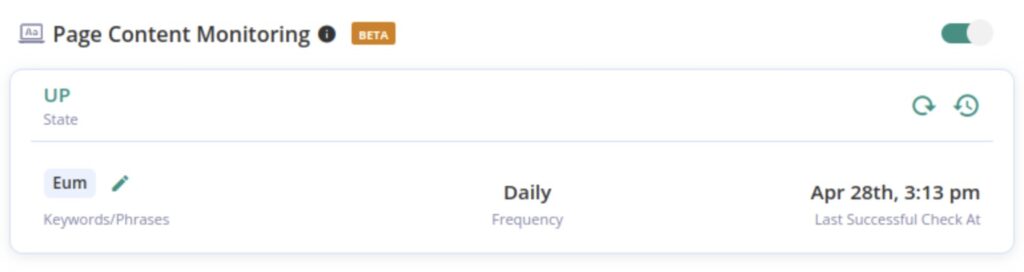
Automated checks
Page Content Monitoring conducts daily automated checks to maintain the up-to-dateness and accuracy of your website’s content. These checks involve tracking specific user-specified phrases that signify correct page functionality and verifying crucial HTML elements, scripts, and necessary code snippets. This ensures that essential content, like calls-to-action and compliance disclaimers, are always present as expected. Now, you can trust that your site’s content accuracy is being continuously verified without needing to manually audit your site.
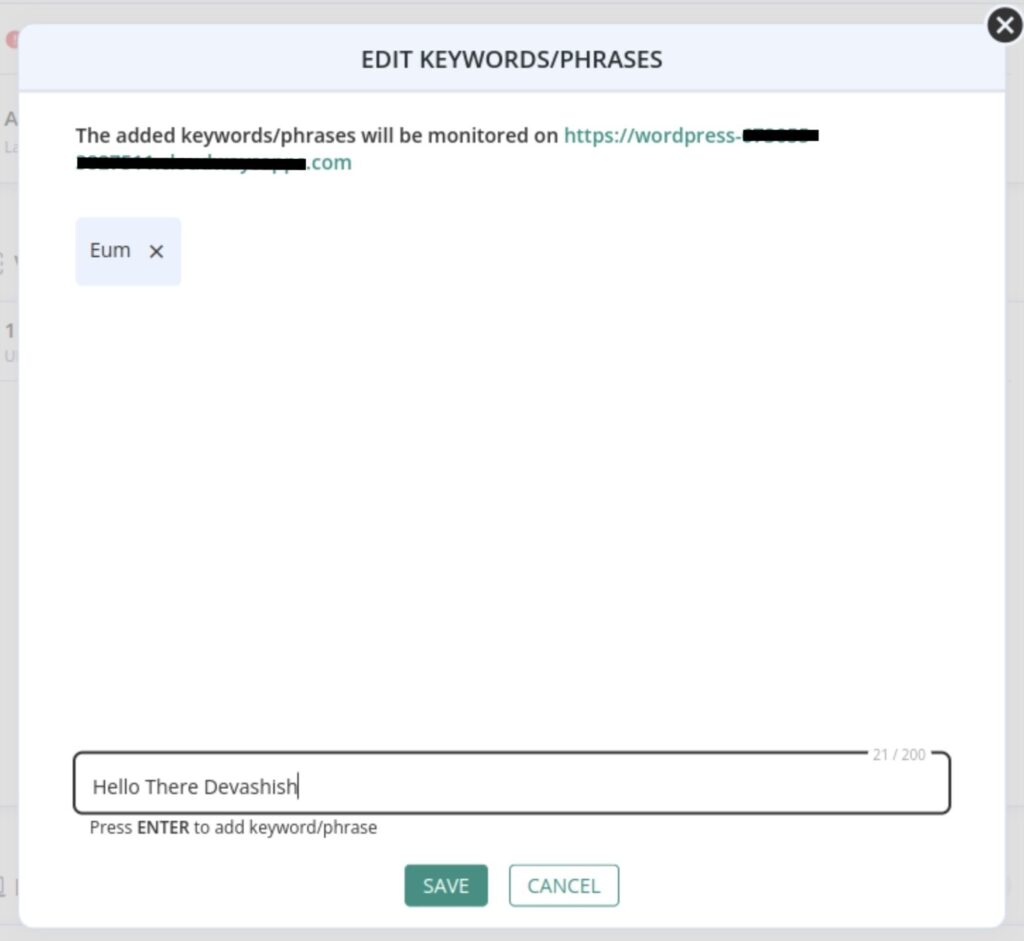
However, circumstances may sometimes arise where immediate verification is needed, perhaps after a crucial update or content revision. For all such occasions, we have also included a Refresh option that allows users to manually initiate an immediate check beyond the scheduled daily audits.
Historical analysis and status reports
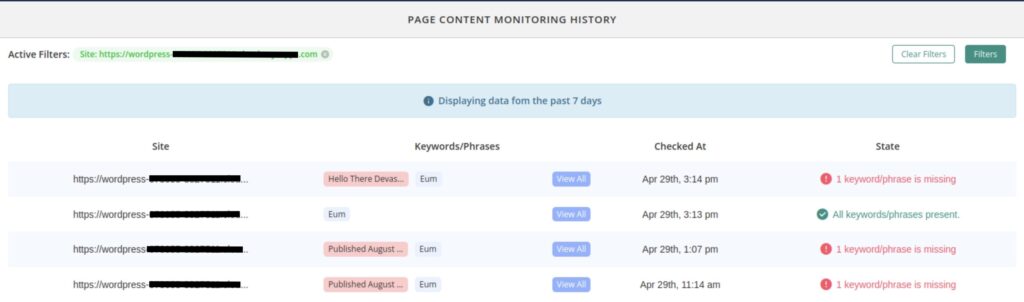
WP Remote not only provides current data but also keeps a log of past checks. This historical insight allows users to identify patterns or recurring issues with content availability or site functionality, offering a powerful tool for ongoing site management improvements.
Integrating Page Content Monitoring in WP Remote addresses not just the visibility of your site but ensures it fully functions at every level, enhancing reliability and user experience. This tool is particularly invaluable for websites with dynamic content such as e-commerce platforms, news portals, or any business that relies heavily on up-to-date and accurate content presentation.
Tags:

Share it:
You may also like

Automate SSL Checks with WP Remote
Have you ever had one or more of your managed websites showing an “insecure” warning to visitors? Or worse, has a client of yours come running to you with a…
Incident Affecting Site Uptime Data
Summary Here is a short summary of the incident: Timeline What happened Between 6th to 12th of May, we experienced issues with external firewalls blocking our plugin requests. A standalone…

Better Reports, Less Effort: Introducing WP Remote’s Latest Reporting Enhancements
Reports are like the bread and butter for any agency managing multiple WordPress sites. But this turns into a daunting task when each of your clients has unique needs and…
How do you manage your websites?
Managing multiple WordPress websites can be time consuming and error-prone. WP Remote will save you hours every day while providing you complete peace of mind.

Managing everything yourself
But it’s too time-consuming, complicated and stops you from achieving your full potential. You don’t want to put your clients’ sites at risk with inefficient management.

Putting together multiple tools
But these tools don’t work together seamlessly and end up costing you a lot more time and money.